Managing your notification preferences
Control which notifications you receive and how.
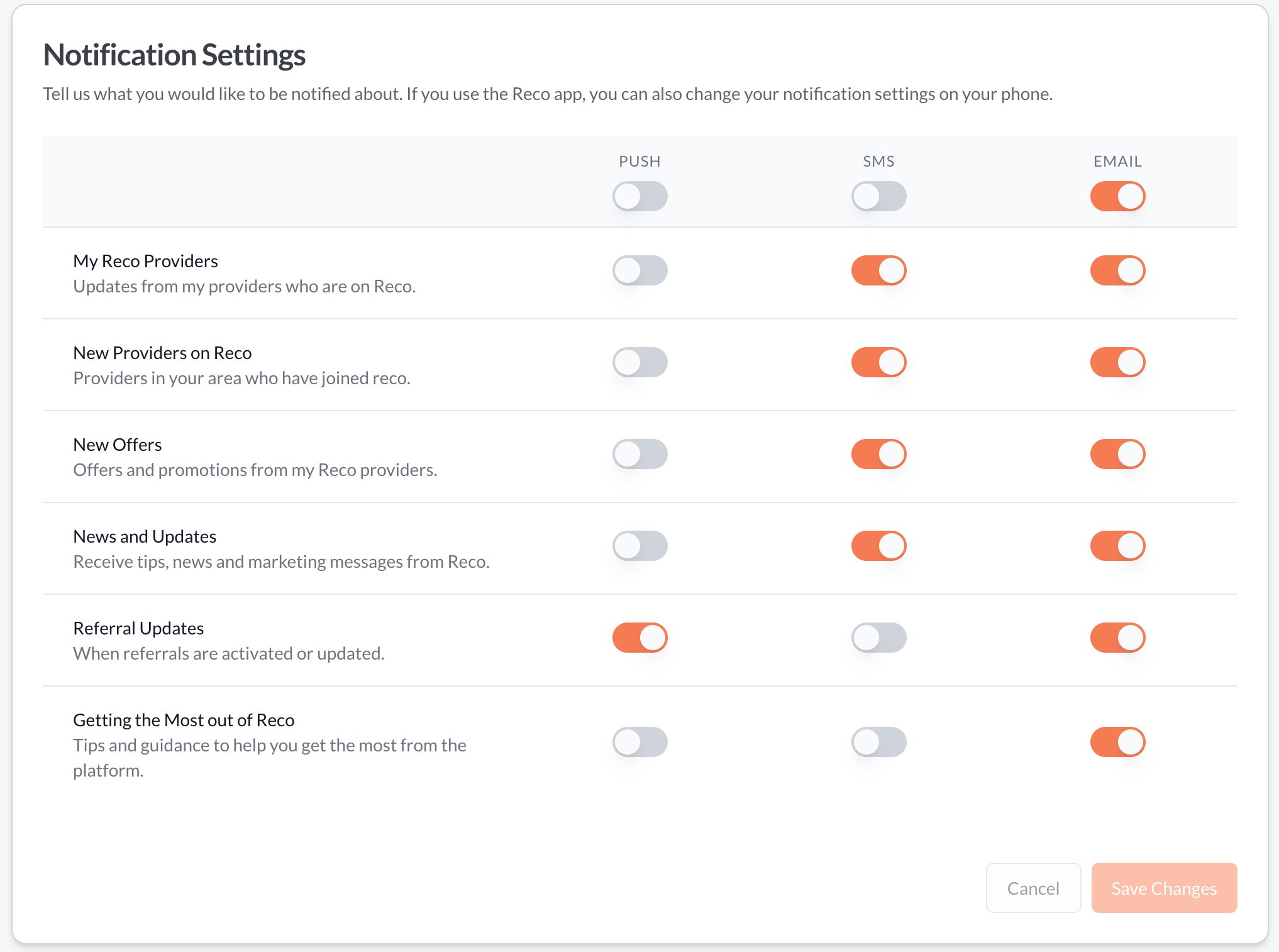
Reco sends notifications to keep you informed about referral activity, messages, and account updates. You can customise which notifications you receive and how they're delivered.
If any of the toggles are disabled, it means that delivery mechanism isn't yet available for that option.
Accessing notification settings
- Navigate to the drop down menu and click on Notifications
- You'll see a list of notification types with toggle switches for each delivery channel
Notification channels
| Channel | Description |
|---|---|
| Sent to your registered email address | |
| Push | Delivered to your device (requires the Reco app) |
| SMS | Text messages to your registered phone number (for critical alerts) |
Each row has an explanation for what the notification controls