Making and Claiming Referrals Anonymously
Contact details of Referrers: With Reco, all referrals need to have the contact details of the referrer verified in order for the referral to be made. However, the referrer can choose whether to share their contact details with the provider or not.
The provider may require that contact details are shared in order for a reward to be given to the referrer. Read more about that below.
Contact details for the Person Referred: The person being referred can always choose not to accept a referral, or whether to provide contact details to the provider. The provider may require contact details to be shared for the referral to be accepted, or may be happy for the referrer to sign up in person without sharing contact details.
How to Refer Anonymously
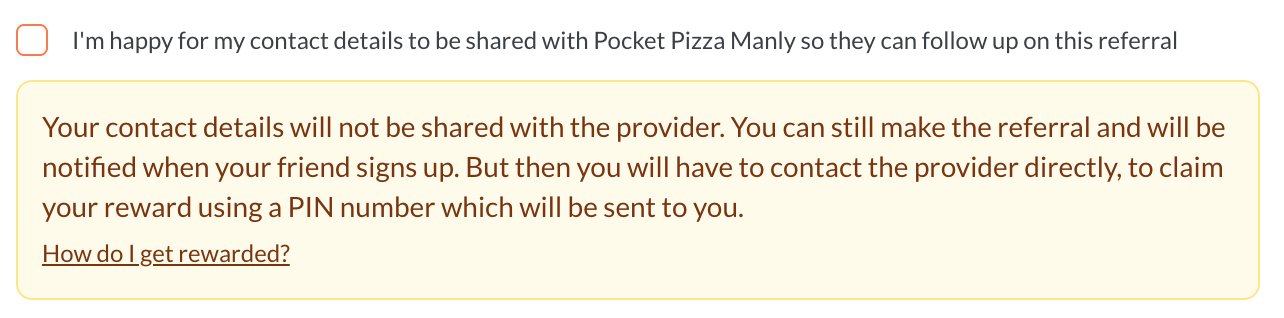
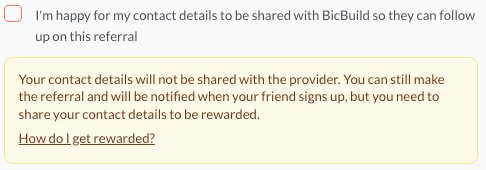
When making a referral, uncheck the option shown below when you create the referral. This will then show one of two messages
Contact details not required for claiming a reward
The provider may have designed the incentive so that you can provide a code and PIN at the point that you can collect your reward. In this case, when the reward can be claimed you are sent a PIN which you can give to the provider in person. This verifies that it was you that created the referral without your having to share your contact details.
Contact details are required for claiming a reward
The provider may have designed the incentive so that you must provide your contact details before you can collect your reward. In this case, if you choose not to share your contact details, you will have to contact the provider directly to discuss whether you can claim your reward or not.
Your privacy
If you select not to share your contact details, your email and phone number are never shared with the provider. The PIN proves it's you that made the referral.
How to Accept a Referral Anonymously
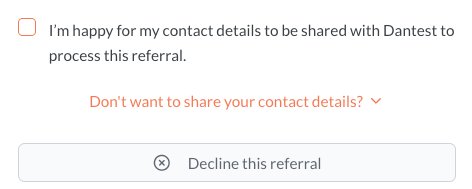
When you receive a referral link, you have to explicitly accept to share your contact details with the provider.
However, if you want to stay anonymous, the provider may have designed the incentive to give you the option to accept the referral and receive the introductory offer, without sharing your contact details. In this case, you just contact the provider and give them the QR code or code that is revealed when you tap "Don't want to share your contact details?".
If the provider requires that contact details are shared in order to receive the introductory offer, the message "Don't want to share your contact details?" will not be visible, and you can choose to accept sharing your contact details, decline the referral or just ignore it.